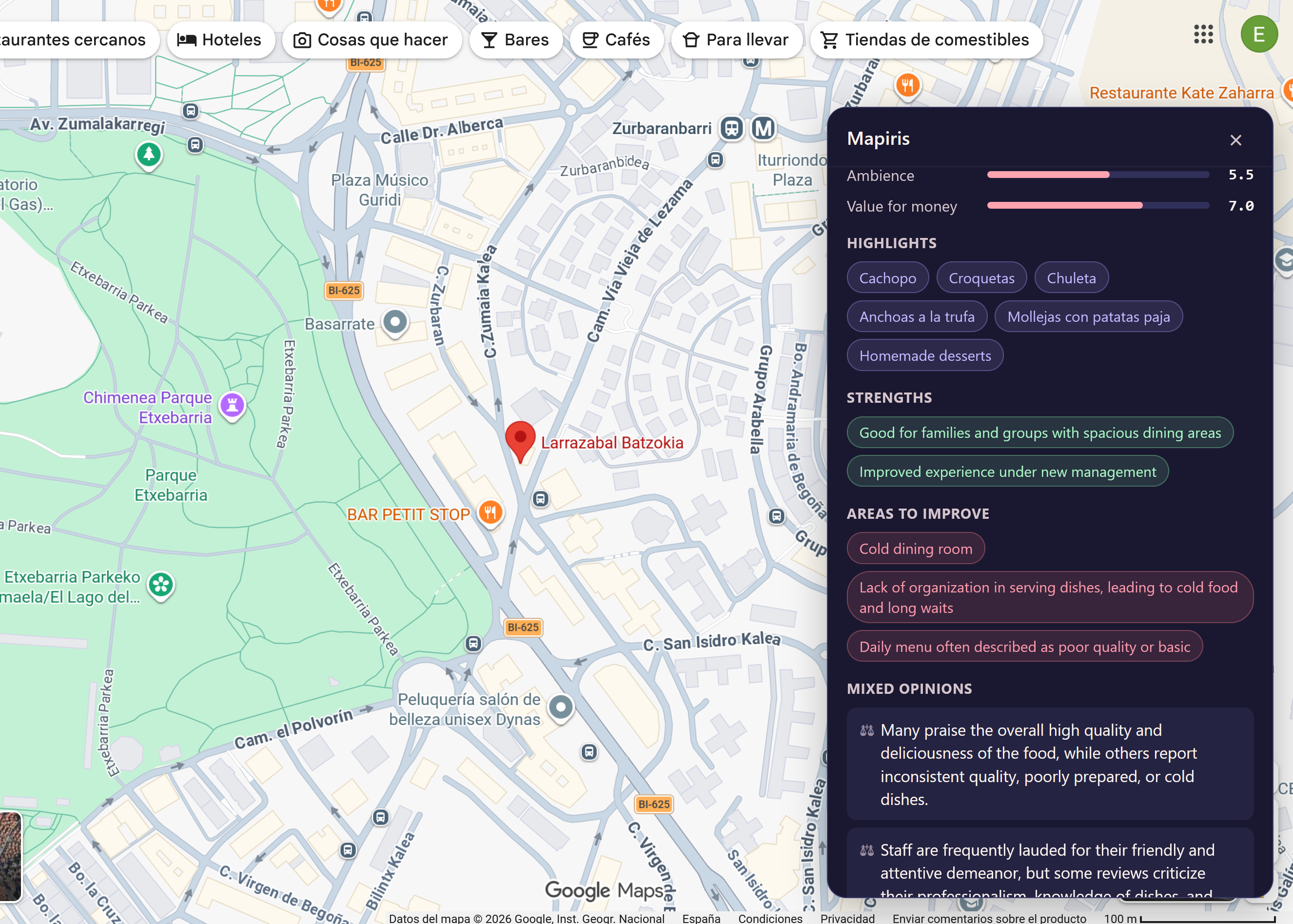
Any place on Maps
Restaurants, hotels, shops, museums, clinics, services — if it has reviews, Mapiris summarizes them.
Mapiris summarizes reviews for any place on Google Maps with AI — verdict, scores, highlights, pros and cons, and price range, in your language.
One click, one summary, every type of place — wherever Google Maps takes you.
Restaurants, hotels, shops, museums, clinics, services — if it has reviews, Mapiris summarizes them.
Reviews come in dozens of languages. The summary comes back in yours — clean, structured, easy to scan.
We walk you through grabbing a free key in under a minute — Groq (the default) or Gemini. Or paste your own from OpenAI or Anthropic if you prefer.
Your browser calls the AI directly. We never see your data, your key, or which places you look up.
No new tab, no new app, no copy-pasting. Mapiris lives in your browser.
A restaurant in Tokyo, a clinic in Berlin, a museum in your hometown — anywhere reviews live.
Hit "Analyze" in the popup. Mapiris gathers the reviews and sends them to the AI of your choice.
Verdict, scores, highlights, pros, cons and a price range — written in your language, ready to scan.
Free, no account, no tracking. Uninstall any time.
Free · No account · No tracking
Yes. Mapiris itself is free. You'll grab a free API key from Groq (the default) or Gemini — both have generous free tiers — and paste it into the extension once. OpenAI and Anthropic also work if you'd rather use a paid key.
Yes — but it can be a free one. Mapiris defaults to Groq, so you'll grab a free key from Groq's console, paste it into the extension once, and you're set. Same flow for Gemini (also free), OpenAI or Anthropic.
Nothing leaves your browser except the request to the AI provider you chose. We run no servers, no analytics and no tracking. Your API key and your history stay on your machine.
If the place has a Google Maps listing with reviews, Mapiris can analyze it — restaurants, hotels, shops, museums, hospitals, mechanics, parks. The summary adapts to the type of place automatically.
Chrome and Firefox today, plus Edge, Brave, Arc, Vivaldi and any other Chromium-based browser through the Chrome build. Safari support is on the roadmap.
Firefox blocks add-ons on certain sites by default — including Google Maps — so the button won't appear until you allow Mapiris there once. It takes a few seconds:

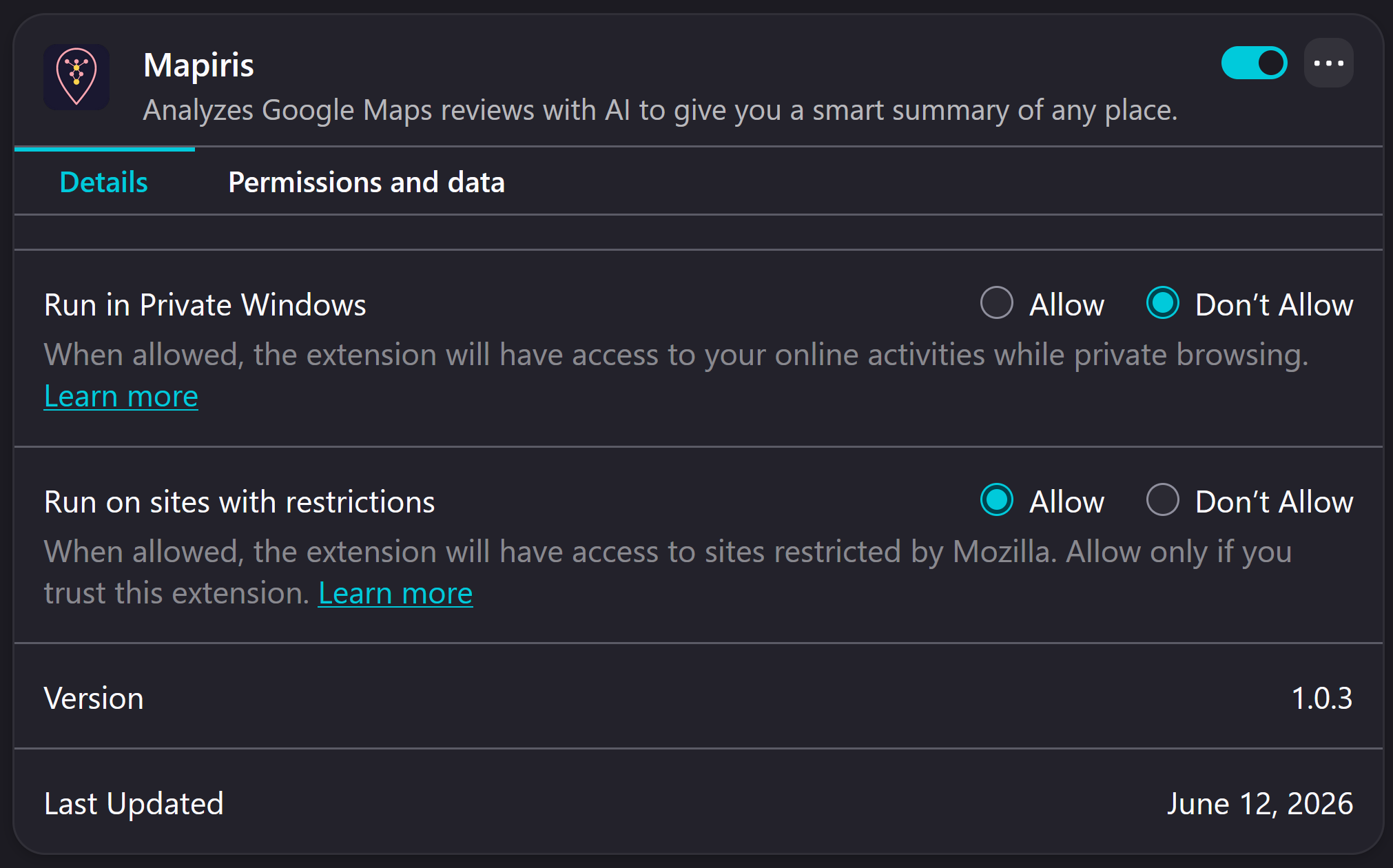
This is a Firefox security default, not a Mapiris setting, so we can't enable it for you. Chrome and other Chromium browsers don't need this step.
Nothing for most people. Groq's free tier covers roughly 14,000 requests per day — plenty for casual use — and Gemini also has a free tier. If you want to use OpenAI or Anthropic instead, you pay their per-call price directly with your own key; Mapiris never marks it up.
The interface and summaries are available in 8 languages: English, Spanish, German, French, Italian, Dutch, Polish and Portuguese. Reviews themselves can be in any language — Mapiris translates and summarizes them in yours.